
Chrome extension
Postflug for Chrome
Spotted a great photo, a blog article or an offer? One right-click and it lands in Postflug, ready for design and text.
Free in the Chrome Web Store · for your Postflug account
How it works
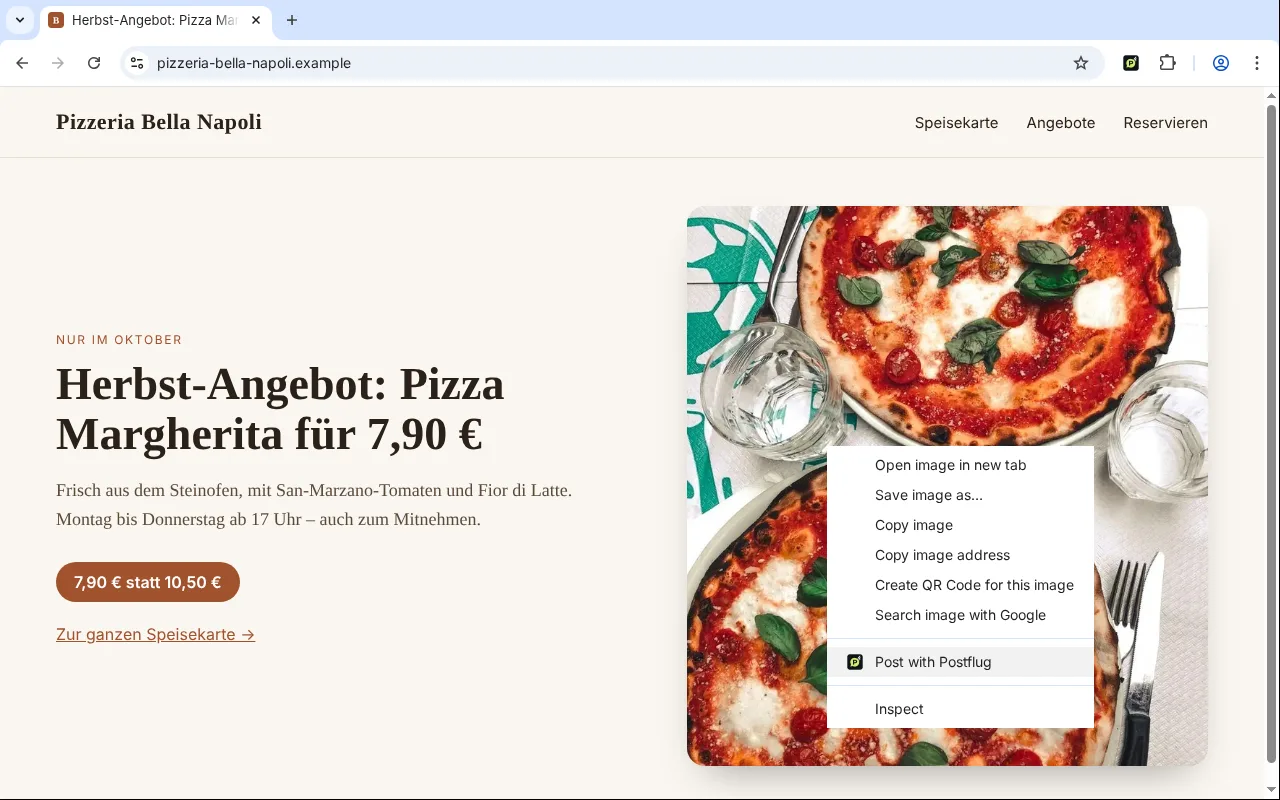
Image with a right-click
Right-click an image → “Post with Postflug”. Once you confirm, it goes into the Postflug editor with the image.
Page or link as a post
Right-click a page or a link: the title and address become a draft, ideal for blog articles, offers and menus.
Screenshot of the tab
From the Postflug icon, capture the visible part of the tab, for example a new review or a promotion on your website.
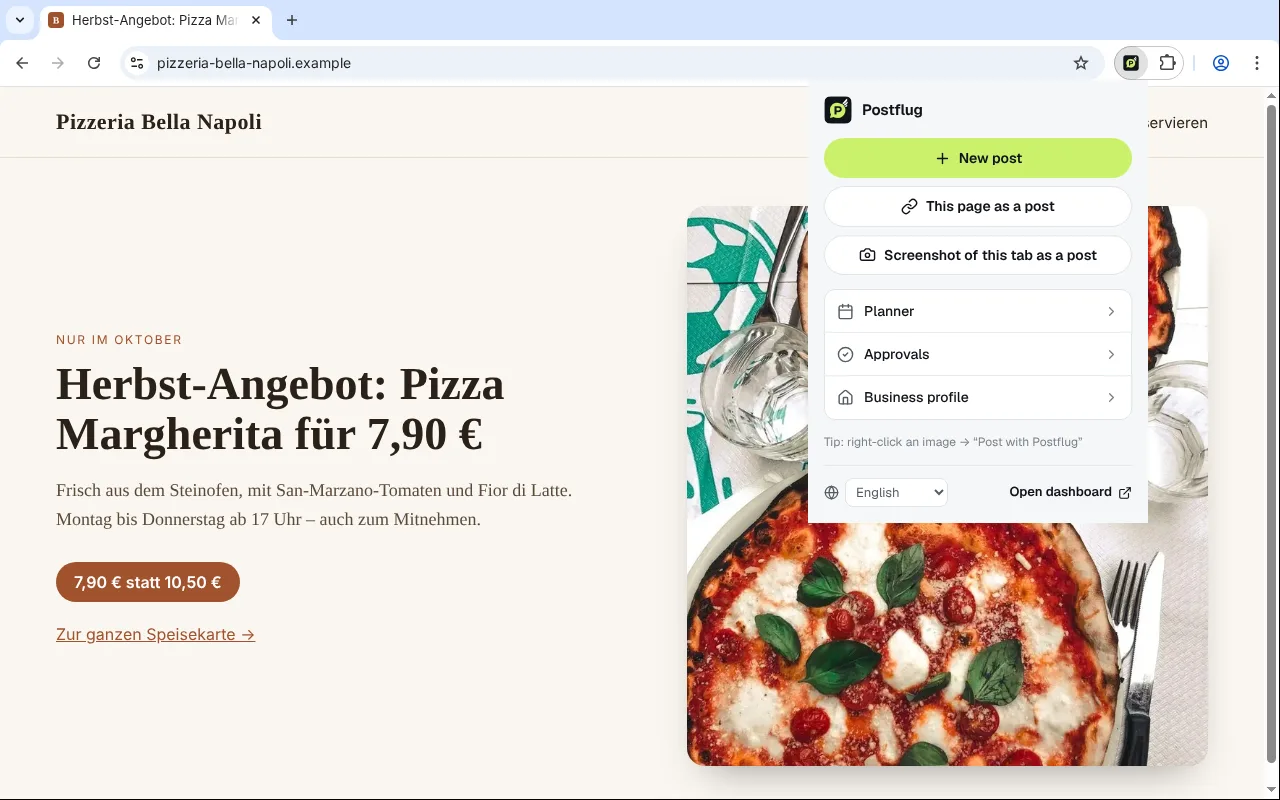
Everything within reach
Open a new post, the planner, approvals and your business profile right from the toolbar, in six languages.
Privacy, clearly handled
- The extension does not read web pages. At most it has access to your Postflug account at app.postflug.de.
- It only sends what you click and confirm, and only to your own Postflug account. No analytics, no tracking, no ads.
- The extension stores no credentials. It uses your normal Postflug sign-in.
The use of information received by the extension adheres to the Chrome Web Store User Data Policy, including the Limited Use requirements. Details in the privacy policy
Frequently asked questions
What does the extension cost?
Nothing. You need a Postflug account, and you can try Postflug free for 14 days.
Which browsers does it work in?
Google Chrome from version 116 on Windows, macOS, Linux and ChromeOS. Other Chromium-based browsers such as Microsoft Edge or Brave can also install extensions from the Chrome Web Store.
Which permissions does it need?
A right-click menu, access to the active tab only after your click, downloads to save an image or screenshot, and a little storage for your language setting. It does not read web pages.
May I post any image from the internet?
No. Only use your own photos, images from your own website or images you have a licence for. The extension reminds you before every import.